 Kiwi
Your playlist. Instantly.
KiwiPlay is a fast, simple player for the IPTV playlist you already have — on Samsung and LG TVs, Android TV and phones.
KiwiPlay is only a player. It contains no channels or content, and we do not sell or recommend any IPTV service. You load your own playlist and are responsible for what you watch.
Built for the remote — and for speed
Starts in about a second
Your channel list opens from the device cache while it refreshes in the background. The last channel starts straight away.
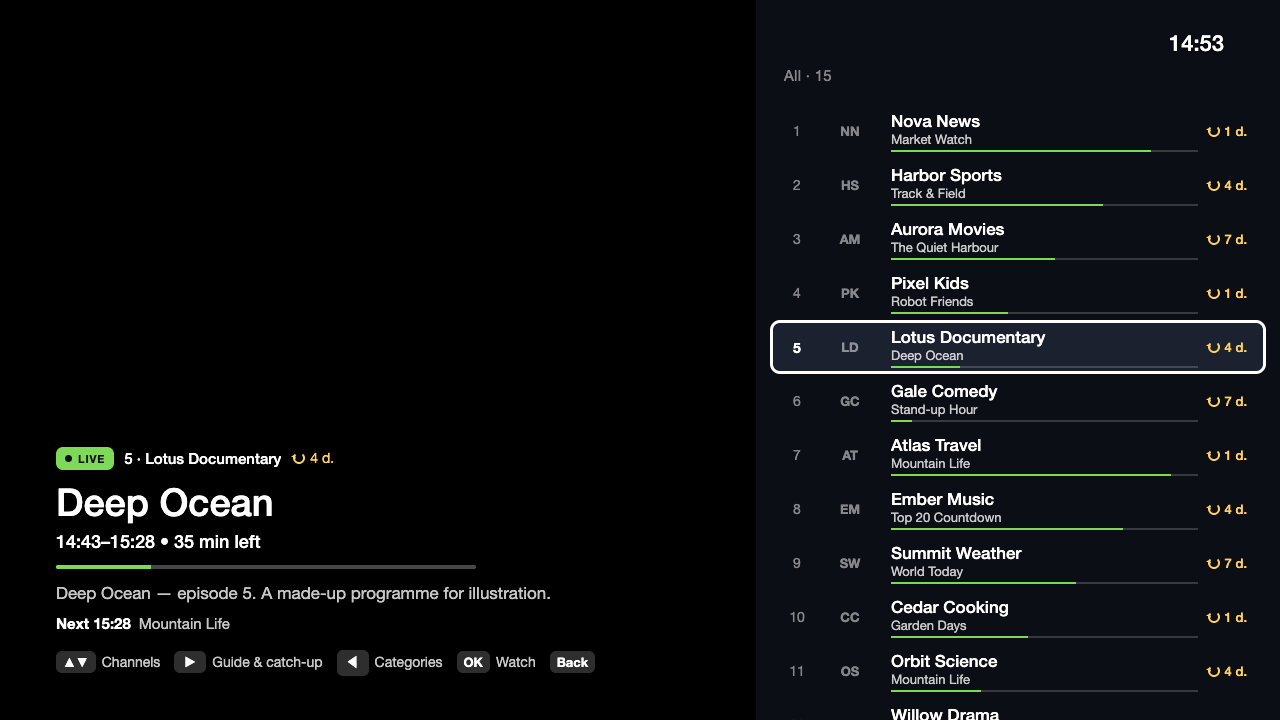
TV guide and catch-up
XMLTV guide with what is on now and next, days back and forward, and catch-up when your provider offers it.
M3U and Xtream Codes
Paste a link or log in with server, username and password. Keep several playlists and switch in Settings.
Favourites, search, parental lock
Star channels, find any channel by name, lock categories with a PIN.
Every screen
Samsung Tizen, LG webOS (Magic Remote too), Android TV, phones and tablets.
Light on old TVs
The whole app is under 100 KB. Lists of 50 000 channels scroll without stutter.
How it works
Install KiwiPlay
From your TV’s app store, or as an APK for Android TV.
Add your playlist
Scan the QR code on the TV and paste your M3U link or Xtream login on your phone — or type it with the remote.
Watch
Seven days free. Then a one-time €5 per device — no subscription.
One price. No subscription.
- 7 days free trial
- All features included
- Free updates
Download
Android TV and Android
APK for TV boxes, Android TV, Google TV and phones.
SoonSamsung and LG TVs
Coming to the Samsung and LG app stores.
Soon